SterJo Google Ad Blocker – Block Google Ads on Windows (Free)
SterJo Google Ad Blocker is a free, simple Windows desktop tool that disables Google advertisements across all browsers installed on your system. No browser extension is required — the tool operates at the system level to block Google ad-serving domains before they can deliver ads to any browser.
How SterJo Google Ad Blocker Works
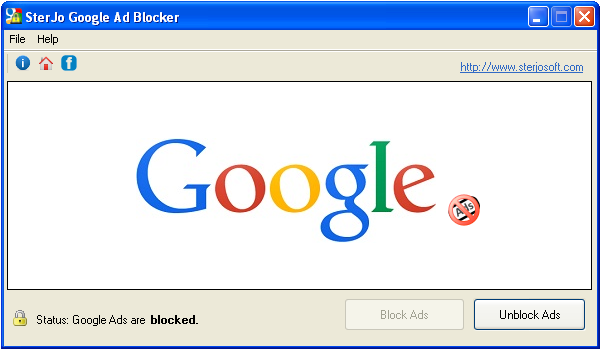
The blocker works by detecting and blocking connections to Google's ad-serving infrastructure at the system level. Once enabled, ad requests from any browser are intercepted and blocked before the ads load, resulting in cleaner, faster-loading web pages without Google display advertisements.
Key Features
- Blocks Google ads on Chrome, Firefox, Edge, IE and all Windows browsers
- System-level blocking — no browser extension required
- Single-click enable and disable
- Cleaner, faster browsing without intrusive display ads
- Portable — runs without installation
- Free to download and use
Download SterJo Google Ad Blocker
📥 SterJo Google Ad Blocker v1.2 (1.1 MB)
Download Installer Portable Version✓ Free forever | ✓ Windows XP – 11 (32/64-bit) | ✓ No account required
Version History
v1.2: Improved ad-blocking efficiency and performance.
v1.1: Minor bug fixes and interface improvements.
v1.0: First public release.
How System-Level Ad Blocking Works
Unlike browser extensions that intercept ad requests inside a specific browser, SterJo Google Ad Blocker worked at the Windows system level by blocking network connections to Google's ad-serving domains. When enabled, the tool modified local system settings so that any request sent to Google's advertising infrastructure — from any browser on the system — was intercepted and dropped before reaching the network.
This meant a single configuration covered Chrome, Firefox, Internet Explorer, Edge and any other browser running on the same Windows installation simultaneously. You didn't need to install extensions separately in each browser or manage settings per-browser.
System-Level Blocking vs. Browser Extensions
Both approaches block ads, but they work differently and have different tradeoffs:
System-level blocking (the SterJo approach) works across all browsers at once, requires no browser-specific configuration, and cannot be disabled by browser updates. However, it is harder to maintain as ad network domains change, requires administrator access to modify, and cannot selectively allow ads on specific sites.
Browser extensions like uBlock Origin work inside a specific browser but offer much more granular control — whitelisting specific sites, blocking by element type (banner, pop-up, video), and receiving regular filter list updates. Because they run inside the browser, they can also filter dynamically injected ad content that system-level blocking might miss.
For current ad blocking needs, browser extensions like uBlock Origin are more effective and easier to maintain than system-level tools. This is why SterJo Google Ad Blocker is no longer actively developed.
Frequently Asked Questions
Is SterJo Google Ad Blocker still receiving updates?
No. This product is no longer under active development. Compatibility with current browser versions is not guaranteed. For reliable ad blocking, consider browser extensions like uBlock Origin.
Which browsers does it support?
It was designed for Chrome, Firefox, Edge and Internet Explorer. Because it works at the system level, it affects any browser installed on Windows.
Do I need a browser extension to use it?
No. The tool worked independently of browser extensions by blocking ad domains at the Windows network level.
Did it block Google search ads or only display ads?
The tool was designed to block Google's display advertising network (banner ads, sidebar ads) across websites. Google search result ads may or may not have been affected depending on how the blocking was configured and the version used.
Does system-level blocking affect anything else besides ads?
Blocking Google's ad-serving domains at the system level could occasionally affect other Google services that shared infrastructure with the advertising network. This was a known tradeoff of the system-level approach.
Why was development discontinued?
Maintaining an accurate list of Google ad-serving domains became increasingly difficult as ad networks expanded and changed. Browser extensions with crowdsourced, frequently-updated filter lists became a much more effective solution.
Is it free?
Yes. SterJo Google Ad Blocker is completely free to download and use.
📋 Popular Password Guides
- Wi-Fi How to Find Any Saved Wi-Fi Password
- Product Keys Backup Keys Before Reinstalling Windows
- Security Detect Unauthorized Network Access
- Chrome Recover Saved Chrome Passwords
- Windows Windows Credential Manager Explained
