SterJo YouTube Ad Blocker – Block YouTube Ads on Windows (Free)
SterJo YouTube Ad Blocker is a free, lightweight Windows desktop tool that was designed to block YouTube video advertisements across all major browsers including Chrome, Firefox, Edge and Internet Explorer. With a single click, it stops ads from appearing before and during YouTube videos — no browser extension required.
How SterJo YouTube Ad Blocker Works
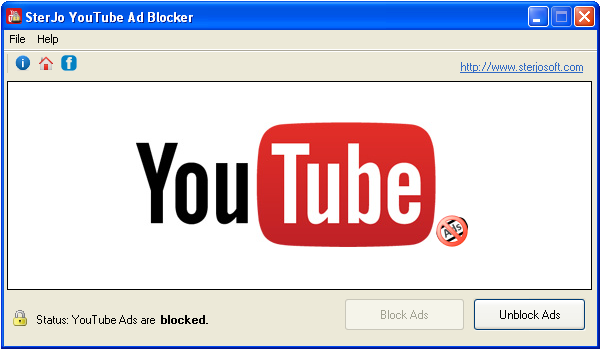
The tool works at the system level by blocking known YouTube ad-serving domains. Because it operates outside the browser, it works with any browser installed on your Windows system without requiring individual browser extensions or configuration. Once enabled, YouTube ad requests are silently blocked before they reach your browser.
Key Features
- Blocks YouTube video ads with a single click
- Works with Chrome, Firefox, Edge, Internet Explorer and other browsers
- No browser extension or plugin required
- System-level blocking — works across all browsers simultaneously
- Portable version available — no installation needed
- Free to download and use
Download SterJo YouTube Ad Blocker
📥 SterJo YouTube Ad Blocker v1.2 (1.5 MB)
Download Installer Portable Version✓ Free forever | ✓ Windows XP – 11 (32/64-bit) | ✓ No account required
Version History
v1.2: Improved ad-blocking efficiency and performance.
v1.1: Minor bug fixes and interface improvements.
v1.0: First public release.
Why YouTube Ad Blocking Became More Difficult
When SterJo YouTube Ad Blocker was first developed, YouTube served ads from identifiable, blockable external domains. Blocking these at the system level was straightforward and effective. Over time, YouTube (owned by Google) moved more of its ad delivery infrastructure to the same domains used to serve video content itself — making it technically impossible to block ads without also blocking the video stream. Additionally, YouTube has actively implemented server-side ad insertion in some contexts, making client-side blocking largely ineffective.
This fundamental technical shift is why SterJo YouTube Ad Blocker is no longer under active development and why it may not work with current browser versions.
Current Alternatives for Blocking YouTube Ads
- uBlock Origin — The most effective free browser extension for blocking YouTube ads. Available for Chrome, Firefox and Edge. Updated regularly and highly configurable.
- YouTube Premium — YouTube's official paid subscription that removes all ads, enables background play on mobile, and supports creators directly.
- SponsorBlock — A browser extension that skips sponsor segments within videos (not ads, but the manually promoted content creators include). Often used alongside uBlock Origin.
Frequently Asked Questions
Is this product still being updated?
No. SterJo YouTube Ad Blocker is no longer under active development. It may not work reliably with the most recent browser and YouTube platform updates. For current ad blocking, consider browser extensions like uBlock Origin.
Does it work on all browsers?
It was designed to work with Chrome, Firefox, Edge and Internet Explorer. Compatibility with current browser versions is not guaranteed.
Does it need a browser extension?
No. The tool works at the Windows system level and does not require any browser extension or plugin to be installed.
Is it free to use?
Yes. SterJo YouTube Ad Blocker is completely free to download and use.
Why does it no longer work reliably?
YouTube progressively moved ad serving infrastructure to the same domains used for video content, making domain-level blocking ineffective without also blocking videos. Browser extensions handle this differently and are kept up to date by active communities.
Does blocking YouTube ads affect the creators?
Creators earn revenue from YouTube ads, so blocked ads mean no ad revenue for that view. Some users choose to whitelist channels they want to support, or use YouTube Premium (which shares a portion of subscription revenue with creators).
📋 Popular Password Guides
- Wi-Fi How to Find Any Saved Wi-Fi Password
- Product Keys Backup Keys Before Reinstalling Windows
- Security Detect Unauthorized Network Access
- Chrome Recover Saved Chrome Passwords
- Windows Windows Credential Manager Explained
